

Phone:
(650) 866-4641

How To Prevent Digital Eye Strain While Working From Home
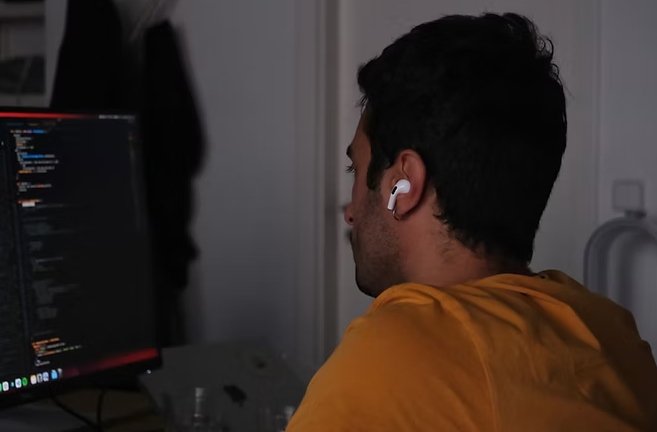
When you spend long hours in front of your laptop, phone, or tablet, your eyes can start to feel tired or uncomfortable.
You might notice blurry vision at the end of the day. If you’re reading this, you might also be experiencing mild headaches that come on faster than they used to.
These are early signs of digital eye strain, and they’re becoming more common as more people work from home.
Don’t worry. With the right habits and eyewear, you can protect your eyes and stay comfortable through long workdays.
Why Screens Cause Discomfort
Looking at a screen is very different from looking at printed text or objects in the real world. Here’s why.
Screens produce light, create glare, and have tiny pixels that make your eyes work harder to keep everything clear. As the hours add up, your focusing system becomes strained. This can develop into computer vision syndrome, a condition caused by extended digital use.
You may blink less when you concentrate intensely, which leads to dryness. You may also hold your device too close or sit in a position that puts extra stress on your eyes.
When these habits happen day after day, they make eye strain from screens more noticeable and more uncomfortable.
Create a Workspace That Supports Your Vision
Your environment affects how hard your eyes have to work. When you design a space that supports clear and relaxed vision, you reduce the chance of developing working-from-home eye strain.
Position Your Screen at a Comfortable Distance
The distance between you and your screen matters. Your best viewing distance is usually somewhere between arm’s length and slightly farther. Placing your monitor too close can increase focusing effort. Keeping it too far away can cause you to lean forward. A balanced distance helps your eyes stay relaxed through the day.
Adjust Your Display Settings
Simple display changes can make a big difference.
Lower brightness if your screen feels harsh. Increase contrast so text is easier to read. Slightly enlarging the font size also reduces squinting.
These adjustments reduce overall effort and help you prevent digital eye strain before it becomes a daily issue.
Manage Lighting in the Room
Good lighting supports comfortable vision. Try to avoid bright lights directly behind or in front of your monitor. If you work near a window, position your screen at an angle so glare cannot hit your eyes. Soft, even lighting reduces strain and helps your eyes stay calm during long work hours.
Give Your Eyes Regular Breaks
Your eyes are not meant to stay focused on a single point for hours. Short, frequent breaks help reset your focus. Many people use the 20-20-20 habit: every 20 minutes, look at something about 20 feet away for around 20 seconds.
When you shift your focus, your eye muscles relax. Over time, this reduces the effects of digital eye strain and supports clearer vision.
Blinking breaks also help. When you look at screens, you blink less often, which causes dryness and irritation. A short pause to blink fully brings moisture back to the surface of your eyes and makes your vision feel clearer.
Use Eyewear That Supports Screen Use
One of the most helpful ways to reduce computer vision syndrome is selecting the right eyewear. If you already wear prescription lenses, a pair set up specifically for computer distance can make your workday feel easier. These lenses reduce focusing effort and can help prevent common signs of computer vision syndrome.
Blue light filters can also help reduce harsh glare from screens. They are not a cure for eye strain from screens, but they can make digital environments feel more comfortable. At Optica Optometry, we help patients choose lenses that match their needs, whether they work on large monitors, laptops, or multiple devices throughout the day.
Build Habits That Protect Your Eyes Each Day
Healthy vision at home comes from small, consistent habits. Keeping your screen at the right height helps you maintain good posture and reduces stress on your eyes. Staying hydrated keeps your tears balanced. Choosing regular sleep helps your eyes recover from long workdays.
These habits also support patients already noticing working-from-home eye strain. Even if your symptoms seem mild now, consistent care can keep them from becoming more uncomfortable in the future.
Pay Attention to Persistent Symptoms
If you notice frequent headaches, constant dryness, or blurry vision that doesn’t improve with breaks, it may be time for a professional evaluation. Some symptoms come from uncorrected prescriptions, focusing difficulties, or other issues that only show up during long hours of digital work.
An eye exam helps us understand how your eyes are handling the tasks you do each day. It also helps us recommend solutions tailored to your environment, your devices, and the way you use your eyes at home.
Support for Your Sight During Your Digital Day-to-Day
Remote work is here to stay, and your eyes deserve support that keeps up with the pace of your daily routine. When you take simple steps to prevent digital eye strain, you protect your comfort and long-term eye health.
Do you need guidance, updated lenses, or personalized recommendations? Schedule your optometry assessment today.
All Eye
Care Services

Keep
In Touch

We provide the highest quality service to all our patients.
Book An AppointmentManaged and Design by
